
Film it, cut it, post it — on your phone
Post every day without living in the editor.
Mediatician turns one idea into a filmed, captioned, published video. Film it on your phone, trim it here, and send it to Instagram, TikTok, YouTube and Facebook — from one place, in minutes.
Cancel any time before day 14 and you pay nothing.
The actual problem
You know you should be posting.
You open the camera and have no idea what to film.
A week goes by. Then a month. Someone half as good as you is the name people know — and the only thing they do differently is post.
Mediatician starts one step earlier than an editing app: it tells you what to film before you pick up the phone.
How it works
From nothing to posted, in one sitting
Three steps, about twenty minutes, no desktop. Everything else it does hangs off these.
Know what to film
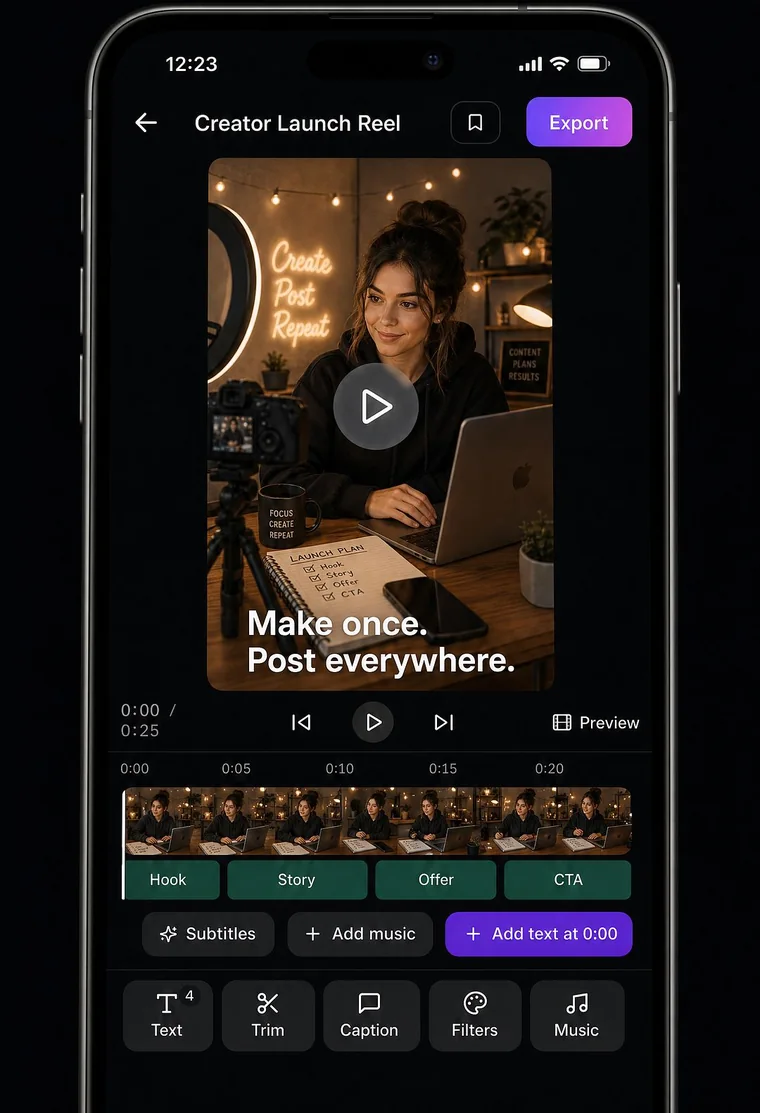
A template tells you what to shoot, clip by clip, with the words to say. Film straight into the app with the script on screen.
Cut it on your phone
Trim with your finger, add captions from your own speech, drop in music. No desktop editor, no exporting between apps.
Publish and see what worked
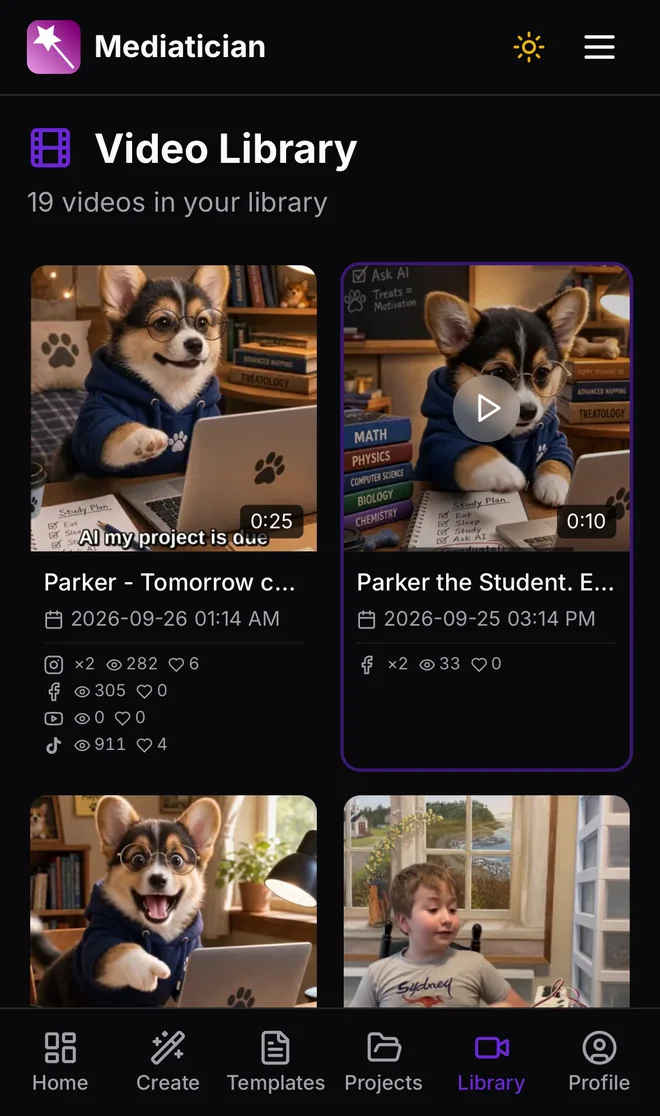
Post or schedule to every account from one screen, then see views, likes and comments per platform without opening four apps.
After you post
And then it keeps working
Posting is the start. What decides whether it was worth it is everything after.
- Numbers you can actually readViews, likes and comments for every post, totalled per platform — Instagram, TikTok, YouTube and Facebook in one list instead of four apps.
- Posts that go out without youSchedule a week in an afternoon. It publishes at the time you chose, and tells you if anything failed.
- More than one accountSeveral accounts per platform, so a second brand or a client is not a second subscription.
- Captions from your own voiceSpeak, and the subtitles write themselves, one sentence at a time, in the lower third where people read them.
- A nudge when you go quietA streak that counts the days you posted, and a reminder on your phone at a time you pick.
Before you ask
Straight answers
Is it free?+
14 days free, with everything switched on. After that it is $11.99 a month for Basic or $23.99 for Pro, and you can cancel before day 14 and pay nothing.
Which accounts can I post to?+
Instagram, TikTok, YouTube and Facebook Pages — your own accounts, connected once. Pro connects several accounts per platform.
Do I need a computer?+
No. Filming, editing and publishing all work on a phone. The website does the same job on a laptop if you prefer one.
What happens to my videos?+
They stay yours. Nothing is sold, nothing is used to advertise to you, and nothing is posted anywhere you did not choose.
Do I have to use the AI features?+
No. They are asked for separately, and you can say no and still film, edit, publish and schedule — see the privacy policy.
Can I cancel?+
Any time, from Plan & Billing. You keep access until the period you have paid for runs out.
Don’t take our word for it
Every post on these accounts was made in Mediatician. Go and look before you pay us anything.
Your next fourteen days, posted
Two weeks free. Long enough to find out whether posting every day is actually hard, or whether you were just missing the bit that tells you what to film.
Start free — 14 daysCancel before day 14 and you pay nothing